
Lottery 7 on iPhone
Lottery 7 for iOS: iPhone Access and Compatibility Help
Looking for Lottery 7 on your iPhone? First check whether you need an app at all. A mobile website, a home-screen shortcut and a native iOS application are different ways of accessing a service.
- iPhone browser access
- Home-screen shortcut
- Profile warnings
- 18+ only
Lottery 7 iOS — quick answer
A native Lottery 7 iOS app or App Store listing has not been verified. On an iPhone, Lottery 7 is usually opened in Safari or Chrome, and you can add the page to your Home Screen as a shortcut.
The Android Lottery 7 APK cannot be installed on an iPhone. Be careful with any “Lottery 7 iOS download” that asks you to install a configuration profile or trust an unknown developer.
On this page
A native Lottery 7 iOS app or verified App Store listing has not been established in the available research. Browser compatibility also needs confirmation from the service you intend to use.
One point is clear: an Android APK cannot be installed as a native iPhone application. A page offering the same APK for Android and iOS does not provide a genuine iPhone version.
Is There a Lottery 7 iPhone App?
Searches for a Lottery 7 app for iPhone or a Lottery 7 iOS download often lead to pages that simply repackage the website. A home-screen icon created from Safari is a shortcut, not an installed app.
There is no independently verified iOS release to recommend here. That does not prove an iPhone app cannot exist; it means there is not enough evidence to publish a download claim.
Before relying on an app listing, check the publisher identity and its connection to the operator. A matching name or logo is not enough.
Avoid treating an advertisement, forwarded file or “iOS download” button as proof of compatibility. Check what the button actually offers before entering account details or installing anything.
Can You Open Lottery 7 in an iPhone Browser?
Browser access may be an option if the relevant service supports it. However, a homepage opening successfully does not establish that login, game screens or payment functions will work correctly.
Use this order when checking access:
- Establish the account destination for the service where you > registered.
- Open it in your iPhone browser.
- Check whether the page displays correctly.
- Read any compatibility or service notice.
- Continue only if the destination and account form can be verified.
Do not enter credentials into a replacement page simply because the first address fails to load. Similar branding does not establish that two sites share accounts.
Browser Access, Shortcuts and Native Apps
The difference matters when a download page uses these terms loosely.
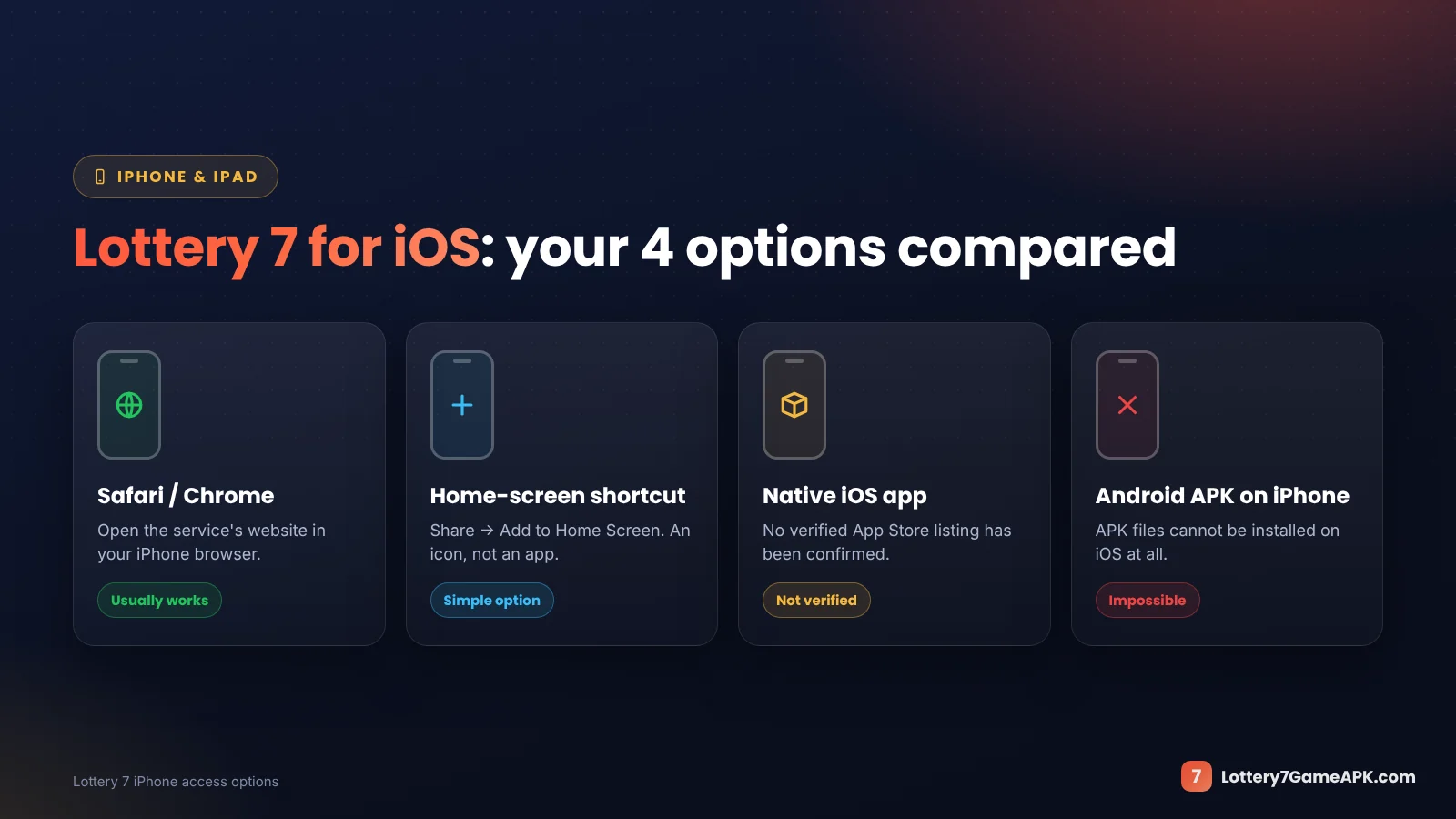
| Access type | What it means |
|---|---|
| Browser page | A website opened through the browser |
| Home-screen shortcut | An icon that opens a website or web experience |
| Native iOS app | Software built for iOS and distributed through an applicable app-distribution route |
| Android APK | An Android installation package, not a native iPhone application |
A home-screen icon does not, by itself, establish that a native app was installed. It also does not verify the website or guarantee access to every feature.
If you save a shortcut, confirm the destination first. Do not mistake a convenient way to reopen a page for evidence that the service is trustworthy.
Signing In on an iPhone
The sign-in steps on Safari are the same as on Android — see the full Lottery 7 login guide for password and OTP problems. On a laptop instead? Read Lottery 7 for PC.
If iPhone access is supported, use the existing account only through a destination confirmed by the service.
Check the account identifier requested on the form. It may be a phone number, email address or username; use the type actually shown.
Pay attention to saved passwords. Your browser may insert an old password or details for another website. If you recently reset the password, check what autofill is entering.
Installing an app or changing phones does not recover a forgotten password. Use the operator’s account-recovery process if you cannot sign in.
Never share a login code with someone offering to set up iPhone access for you.
Lottery 7 Not Working on iPhone
Start with the part that fails. A page-loading problem is different from a password error or missing transaction.
The page will not open
Check whether other websites load on the same connection. Then check the address for typing mistakes and look for any service notice you can independently verify.
Avoid assuming that a new download is needed. Do not use an unknown replacement destination or install software to bypass access restrictions.
The page opens but looks incomplete
A broken layout or missing controls may indicate a compatibility or loading issue. Record what is missing and whether the problem occurs before or after login.
Do not submit a payment through a screen where the recipient, amount or confirmation cannot be read properly.
Login fails
Check the entered account details and saved password. If the form shows a specific error, follow the relevant recovery process rather than refreshing repeatedly.
If you can access the account through another confirmed method, describe that difference when asking the operator for help. Do not assume it proves iPhone support.
A verification message does not arrive
Check the registered destination and follow the resend instructions shown. For email verification, check the relevant inbox and spam folder.
Keep verification codes private. Do not include them in a support screenshot.
The payment screen stops responding
Check the payment-provider record and wallet history before trying again. A frozen page does not establish whether a payment succeeded.
For an unresolved transaction, keep the reference, amount, date and status. Reopening the website does not trace the payment.
Be Careful with iOS Installation Requests
A claim that an app works on iPhone should be supported by a clear publisher identity and legitimate installation instructions.
Pause if a page or contact asks you to:
- Install an unexplained configuration or management profile.
- Give another person control of the device.
- Share an Apple Account password or verification code.
- Pay a separate activation charge to an unknown person.
- Ignore a security warning without explaining it.
Do not change device-management settings just to get past an installation message you do not understand.
An app icon, successful installation or professional-looking page does not establish the operator’s reliability.
Using an Existing Account on a New iPhone
Before moving to a new device, keep access to your account identifier, password and recovery method.
Confirm the supported access route first. Do not create another profile merely because a new device shows a registration option.
On a shared iPhone, avoid saving credentials and sign out when finished. If you notice unfamiliar account activity, use the verified recovery and support process.
Access to an account does not establish eligibility for real-money services in your location. Check the relevant conditions before using those functions, and keep essential household money outside gaming.
Final Thoughts
For Lottery 7 iOS access, establish the supported method before downloading anything. An Android APK is not an iPhone version, and a home-screen shortcut is different from a native app.
If access is available, check login and compatibility carefully. Keep credentials private and investigate payment problems through transaction records rather than repeated installation attempts.
Apple’s own instructions: Apple’s iPhone User Guide shows how to add a website icon to the Home Screen in Safari — the safe way to keep Lottery 7 one tap away on iOS.
Frequently Asked Questions
Answers about Lottery 7 on iPhone, iOS downloads, shortcuts and Safari login.
Is Lottery 7 available for iOS?
A native iOS release has not been independently verified here. Browser support also needs confirmation from the relevant service.
Can I install the Lottery 7 APK on an iPhone?
No. An Android APK is not a native iOS application. Renaming the file does not convert it into one.
Do I need a separate account for iPhone access?
Changing devices does not, by itself, require another account. Confirm that the access method belongs to the same service and follow its login instructions.
Does a home-screen shortcut install an iOS app?
A shortcut can open a website or web experience. Its presence alone does not establish that a native app was installed.
Why does the website open but login fail?
The problem could involve credentials, the account destination or compatibility. Use the exact error and the operator’s guidance to investigate rather than assuming a cause.
Will reinstalling fix a missing deposit?
Reinstallation does not establish what happened to a payment. Keep the transaction reference and compare the payment-provider record with the wallet history.
Can I trust a page that says “official iOS download”?
That wording is not proof. Check the publisher, operator connection and actual distribution method before relying on the claim.
More Lottery 7 help guides
Related step-by-step guides for downloading, account access and payments.
18+
Play responsibly. Lottery 7 and similar colour prediction games involve real money and real financial risk. Lottery7GameAPK.com is an independent information website — we are not the game operator, we do not run accounts or process payments, and we never ask for your password, OTP or payment PIN. Read our responsible gaming guide.