
Lottery 7 Payments
Lottery 7 Deposit: Payment Checks and Missing Balance Help
Before making a Lottery 7 deposit, check the amount, recipient and conditions shown in your account. Adding money should be a deliberate decision, not a response to a countdown, bonus message or someone promising a guaranteed return.
- Payment checks
- Missing balance
- Duplicate deposits
- Spend limits
Lottery 7 deposit — quick answer
Before any Lottery 7 deposit or recharge, check the amount, the recipient name and the payment conditions shown inside your account. Only add money you can afford to lose.
If money was deducted but the Lottery 7 deposit is not received in your wallet, keep the UTR or transaction ID, amount and time. Do not pay the same amount again — a second payment does not trace the first.
On this page
- Before You Add Money
- How to Approach a Lottery 7 Deposit
- Payment Methods, Limits and Charges
- Lottery 7 Deposit Not Showing
- Money Deducted but Deposit Marked Failed
- Pending and Duplicate Deposits
- Deposits and Bonus Offers
- How to Explain a Missing Deposit to Support
- Final Check Before Paying
- Frequently Asked Questions
If you have already paid and the balance is missing, keep the original transaction record. Sending the same amount again creates a second payment; it does not investigate the first one.
Current payment methods, deposit limits, fees and processing times have not been independently verified. This page explains the checks to make and the records to keep without assuming a particular payment option is available.
Before You Add Money
Confirm that you are using the service where you registered. Similar branding does not establish that two websites share the same operator or account system.
Read the deposit and withdrawal conditions together. Being able to add money does not explain when or how funds can later be withdrawn.
Check:
- The account receiving the wallet credit.
- The payment method currently offered.
- The recipient and amount.
- Any fees or limits disclosed.
- Account-verification requirements.
- Bonus conditions attached to the payment.
- The support process for a missing deposit.
Use only money you can afford to lose. Keep funds for food, rent, bills and repayments outside real-money gaming.
How to Approach a Lottery 7 Deposit
Players may call this a Lottery 7 recharge, add money or add cash. Whatever the button says, the same rule applies: pay only from the payment screen inside your own account, never to a number sent in a chat.
The current wallet interface has not been verified. Follow the actual instructions displayed by the service rather than assuming the steps or button names will match another website.
Open the deposit option in your account
Sign in through the verified account destination and locate the funding option, if available.
Check that the correct account is open before continuing, especially if the device has saved details for more than one profile.
Review the amount and payment method
Choose only from methods currently displayed by the service. A payment logo on a separate information page does not confirm present availability.
Read the amount requirements, fees and any instructions about payment references. Do not assume a deposit option is also available for withdrawals.
Check the recipient before authorising payment
Review the destination and amount in the payment application or confirmation screen.
If the recipient details are unexpected or cannot be reconciled with the service’s instructions, stop and seek clarification. Do not rely on a stranger’s assurance that an unfamiliar personal account is a valid payment destination.
Keep your payment PIN, password and authorisation codes private.
Save the confirmation and check the wallet record
Retain the payment reference, amount, date and status. Then compare them with the deposit history in your gaming account.
A payment-provider receipt and a wallet-credit entry are separate records. Save both when available.
If the balance does not update, use the missing-deposit checks below before making another payment.
Payment Methods, Limits and Charges
No specific bank, wallet, UPI service or cryptocurrency option is confirmed by this page. Availability needs to be checked within the relevant service.
There is also no verified minimum deposit, maximum amount or standard fee to publish here. Look for those details before authorising payment.
If an amount or charge changes between the deposit screen and final confirmation, pause and establish why. Do not proceed simply to see whether the difference resolves later.
Lottery 7 Deposit Not Showing
Start by matching the two sides of the transaction: the payment-provider record and the gaming-wallet record.
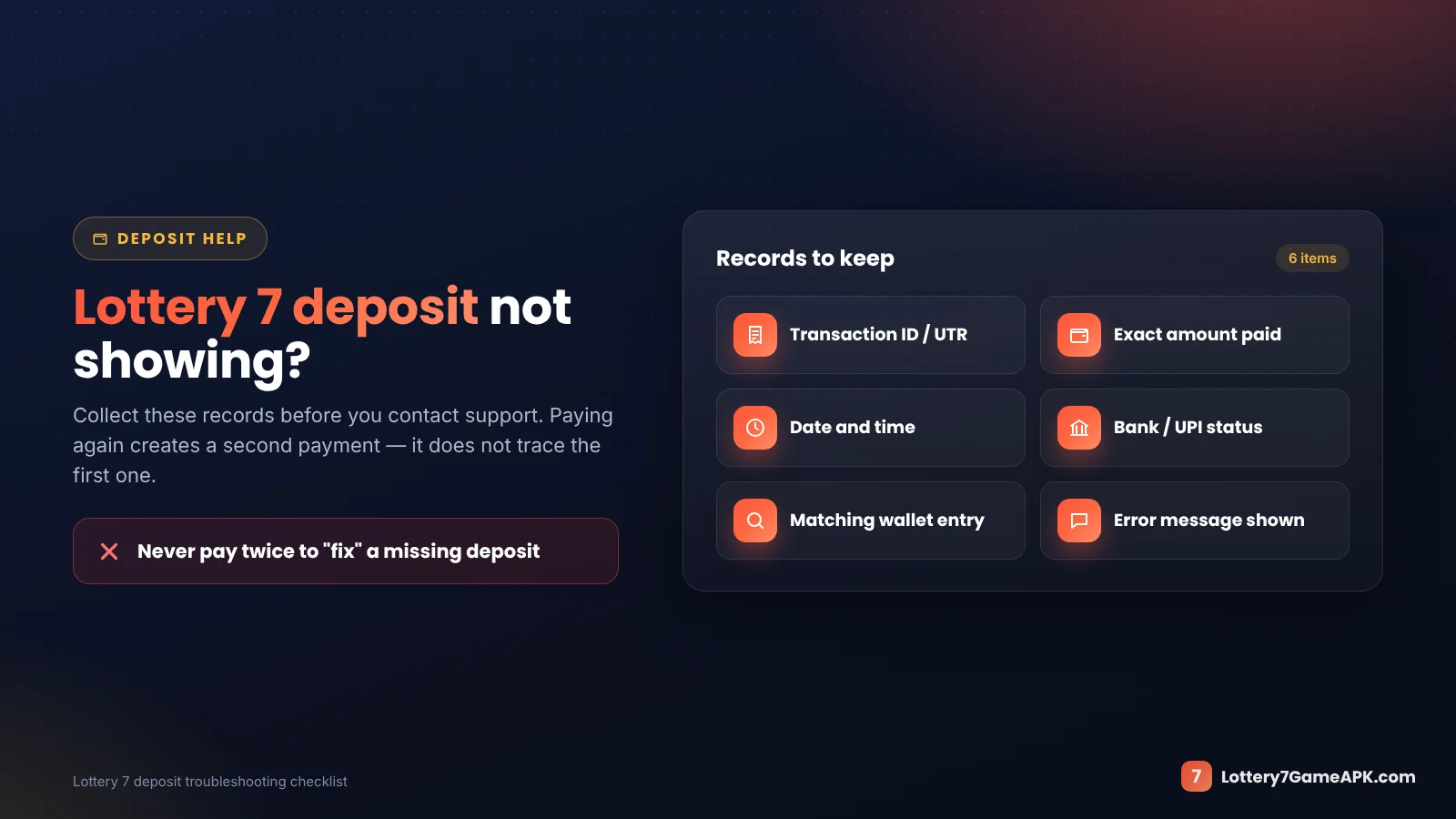
For example, your payment app may show a debit while the gaming account has no matching credit. That requires a transaction check; refreshing the balance alone does not explain the difference.
Check the payment-provider status
Open the actual transaction record. Note whether it shows pending, successful, failed or another status. Do not rely only on a notification or screenshot sent by someone else.
A debit notification alone does not establish that the gaming wallet received the payment.
Compare the wallet history
Look for a matching amount, date and reference. Check the selected account and any date filters before concluding that the entry is absent.
Keep the original status wording. “Pending” and “failed” describe different situations and should not be reported as the same problem.
Collect the evidence
Prepare:
- Payment reference or transaction ID.
- Deposit request reference, if provided.
- Amount, date and approximate time.
- Payment-provider status.
- Wallet status or the absence of a matching entry.
- Any error shown during the attempt.
Share relevant evidence through the verified support process. Remove unrelated personal or payment details from screenshots.
Money Deducted but Deposit Marked Failed
Do not assume that the money has been lost or that a refund is guaranteed. The payment-provider record and the operator’s record need to be checked.
Contact the operator about the missing wallet credit. Use your payment provider’s own help process to ask about the debit or unresolved payment status.
There is no verified refund schedule established here. Avoid relying on a fixed waiting period quoted by an unrelated website.
Do not pay a separate “release,” “verification” or “refund processing” charge to an unknown contact.
Pending and Duplicate Deposits
A deposit remains pending
Keep the request reference and check any processing information published by the service. If the status remains unresolved, report the original transaction with its records.
Avoid repeatedly submitting the same request while its outcome is unclear.
You paid twice
Treat each payment as a separate transaction. Record both references, amounts and times, then explain whether either payment reached the wallet.
Do not combine two payments into one reference or assume that the second payment cancels the first. Ask the relevant parties how each transaction has been recorded and what options apply.
Deposits and Bonus Offers
Before accepting any deposit offer, compare it with the general Lottery 7 gift code and bonus conditions. Once money is in your wallet, the Lottery 7 withdrawal guide explains which part of the balance can actually be taken out. Set a spending limit before you pay.
A deposit offer may have eligibility, turnover, expiry or withdrawal conditions. Read them before adding money because of the promotion.
Check whether accepting the offer affects deposited funds, bonus funds or both. If the conditions are unclear, seek an explanation before accepting.
Do not treat a bonus balance as automatically withdrawable cash. An invitation or gift code does not establish a guaranteed payment benefit.
How to Explain a Missing Deposit to Support
A short report with complete transaction details is more useful than several messages saying “payment problem.”
You can use this structure:
My payment-provider record shows [status] for [amount] on [date and time]. The transaction reference is [reference]. My gaming-wallet record shows [status/no matching entry]. Please check the deposit and explain its current status.
Use the account-identification method required by the verified support process. Do not include passwords, payment PINs or verification codes.
An information website may have no access to your wallet. Confirm that the contact handling the case represents the operator before sharing account records.
Final Check Before Paying
For a Lottery 7 deposit, confirm the account, recipient, amount and conditions before authorising payment. Keep the reference and compare the payment confirmation with the wallet record.
If something does not match, investigate the existing transaction instead of sending more money. A successful deposit does not establish the operator’s reliability or remove the possibility of financial loss.
Payment scam? If you paid a Lottery 7 deposit to a person or link that turned out to be fake, contact your bank immediately and file a report on the National Cyber Crime Reporting Portal.
Frequently Asked Questions
Answers about Lottery 7 deposits, recharges, pending payments and missing balances.
What is the minimum Lottery 7 deposit?
A current minimum has not been independently verified. Check the amount requirements displayed by the service before paying.
Which payment methods can I use?
Use only methods currently offered within the verified service. No particular payment provider is confirmed by this page.
How long does a deposit take?
There is no verified standard processing time established here. Check the service’s published conditions and keep the transaction reference if the payment remains unresolved.
Why was money deducted without a wallet credit?
The two records may show different stages or outcomes. Compare the payment-provider transaction with the wallet history and ask the relevant parties to trace the payment.
Should I deposit again if the first payment is missing?
Another payment does not investigate the first one. Establish the original transaction’s status before considering further funding.
Can I cancel or recover a deposit?
That depends on the transaction status, service terms and payment-provider process. Do not assume cancellation or recovery is available; ask about the specific transaction.
Does a deposit guarantee a bonus?
No bonus entitlement has been verified here. Eligibility and any conditions depend on the actual offer.
How long does a Lottery 7 deposit take to show?
Processing time has not been independently verified and can vary by payment method. If your bank shows success but the wallet has not updated, wait for the time stated in the app, then contact the operator with your UTR or reference.
More Lottery 7 help guides
Related step-by-step guides for downloading, account access and payments.
18+
Play responsibly. Lottery 7 and similar colour prediction games involve real money and real financial risk. Lottery7GameAPK.com is an independent information website — we are not the game operator, we do not run accounts or process payments, and we never ask for your password, OTP or payment PIN. Read our responsible gaming guide.